
30-Day SEO Challenge
How to use this 30-Day SEO Challenge
Spend 25 to 60 minutes per day. If you miss a day, just continue with the next one.
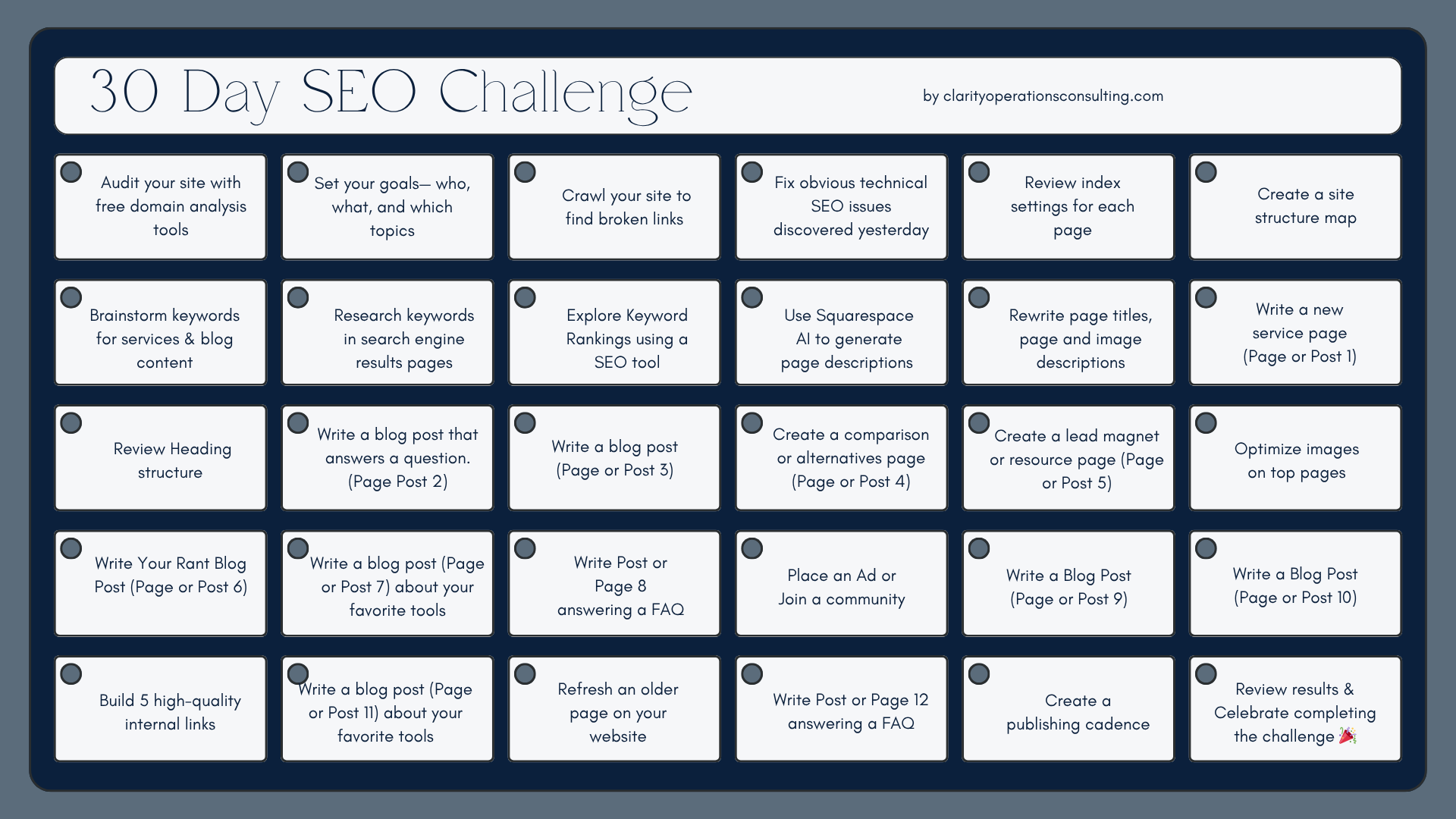
Download the 30 Day SEO Challenge PDF
Day 1: Audit
Audit your website using moz.com/domain-analysis
Record baseline metrics: ranking keywords, top pages.
Day 2: Set Goals
Pick 1-3 discoverability goals.
Ponder the following questions to help you reach your goals.
Who do you want to find your website?
What do you want them to do when they find your website?
What keywords and topics do you want your website to rank in search results?
Day 3: Crawl your site
Deleting pages or linking to deleted pages can harm your SEO. Here’s how to check and fix broken links:
Run a crawl. Here’s a free one if you don’t have one already: https://validator.w3.org/checklink
Review key issues: missing titles, duplicate titles, 404s, redirect chains.
Day 4: Fix technical SEO
Resolve 404s and broken internal links Found in Day 3.
In the future, if you delete a page on your Squarespace page, use URL Mappings to redirect it.
Remove or redirect dead URLs where appropriate.
Day 5: Index settings
Sometimes you don’t want a page on your website to be found on search. Maybe it’s a password-protected page or a client page. If that’s the case, fix the page here:
Read these Squarespace Instructions to Remove a Specific Page from Search Results
Check the ⚙️ gear icon on each page and the SEO tab and tick Hide page from search results.
Review all of your website pages.
Identify any pages that should be indexed but are not and vice versa.
Day 6: Make a Sitemap
Draft a simple hierarchy: homepage, service pages, blog categories.
Link to this sitemap on your homepage to help crawlers find your website.
Day 7: Brainstorm keywords
Brainstorm 20 to 50 keywords for your offerings, tools, and informational themes.
Group them into 3 to 6 themes.
Day 8: Research Keywords Part 1
Type keywords in search engine and evaluate:
Do the results show competitors offering similar services?
Check suggested keywords at the bottom for tweaks and tips of what else to search.
Choose 10 top keywords to explore further in an SEO tool.
Day 9: Research Keywords Part 2
Use Moz’s keyword tool to further research keywords
Choose 3-5 keywords to write about, priortizing keywords with:
Low difficulty (score of 45 or less)
High number of searchers
Day 10: Squarespace AI
If a page is indexed in search, take advantage of the meta description. For some pages, you may not want to spend time drafting a content description. Use Squarespace AI generator to generate meta data for page descriptions and images on your website.
Use Squarespace AI to generate meta data: page titles, descriptions, and image descriptions in bulk
Review and tweak each description - it’s AI and not perfect.
Day 11: Write Meta Data
For important pages manually write the page titles, page and image descriptions.
Keep page titles at ~ 50 characters or less
Keep page descriptions at ~120 characters or less
Incorporate your relevant keywords and services.
Include a clear benefit and call to action.
Day 12: Page or Post 1
Draft and publish one high-intent service page.
Add FAQ section with 3 to 5 questions.
Day 13: Review H1 and H2
Ensure each page has one clear H1.
Ensure H2 sub-headings on top pages.
Day 14:Page or Post 2
Choose one keyword from Day 10.
Publish a post that answers one specific question.
Day 15: Page or Post 3
Publish another post in a related cluster to another Page or Post on your website.
Pick to related posts or pages to link.
Day 16: Page or Post 4
Write a page that helps searchers choose among methods, software, or tools.
Add a short table or bullet comparison.
Day 17: Page or Post 5
Publish a downloadable or template page.
Add an email capture or contact CTA.
Day 18: Update images
Compress large images.
Add descriptive file names and alt text.
Day 19: Page or Post
Choose a topic or theme you are passionate about.
Focus on a tool, method, or philosophy in your industry.
Day 20: Page or Post 7
Pick a new idea to write about on your blog.
Need inspiration? Try Ahref’s Blog Post Idea Generator
Day 21: Page or Post 8
Write a post answering a question.
Think of common questions clients ask about your services or content.
Day 22: Place an Ad
Join a web directory or place an ad to increase your web visibility
Some ideas of where to join:
List your company on Idealist if you serve nonprofits
Place an ad in ilovecreatives, Words of Mouth, or The Listings Project
Join local chamber of commerce
View the HiveIndex for other local communities you can join
Day 23: Page or Post 9
Pick a new idea to write about on your blog.
Need inspiration? Try Ahref’s Blog Post Idea Generator
Day 24: Page or Post 10
Pick a new idea to write about on your blog.
Need inspiration? Try Ahref’s Blog Post Idea Generator
Day 25: Internal links
Add links from older posts to your new pages.
Update anchor text for clarity.
See this Squarespace article for help: Adding Links to Your Site
Day 26: Page or Post 11
Write another blog post about the top tools you use.
Add a CTA to a service page.
Day 27: Refresh content
Refresh one older post with new info.
Add internal links to your new posts and pages.
Day 28: Page or Post 12
Write another blog post based on a keyword that your researched on Day 9.
Link to a services page with relevant ideas about how you can help.
Day 29: Craft a New SEO Challenge
Decide on a realistic schedule: Once a week, twice or week or 3x a week to post, update, and review content.
Choose next 3 topics to write about based on the themes you chose on Day 2.
Day 30: Review results
Compare metrics to Day 1.
Review your top pages, keywords, and links and create goals for the next 30 days.